SFTP Access
Follow these steps to get access to StrutFit's SFTP server.
Generate an SSH key pair
Generate an SSH key pair on your computer. Oracle's Generate an SSH Key Pair guide walks through this on macOS, Linux and Windows.
Send us your public key
Pass the public key from your key pair to your StrutFit account manager. They will then provide you with the server address and username. You can now use your credentials to push files (such as products data) into our server, or access the files using an SFTP client.
Only ever send the public key (the .pub file). Keep your private key on your own machine — it is
what proves your identity when connecting.
Install an SFTP client and connect (optional)
This step is only needed if you want to browse the server yourself.
-
Download a client that can connect over SFTP, such as Cyberduck.
-
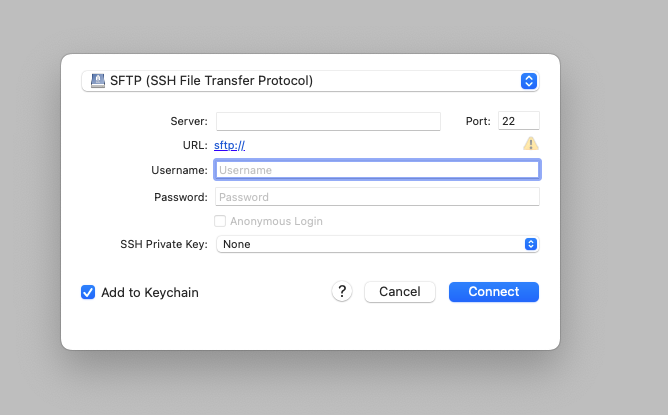
Choose the SFTP (SSH File Transfer Protocol) protocol.
-
Enter the server address and username your account manager provides once they have received your public key.
-
Instead of entering a password, select your SSH private key file.